
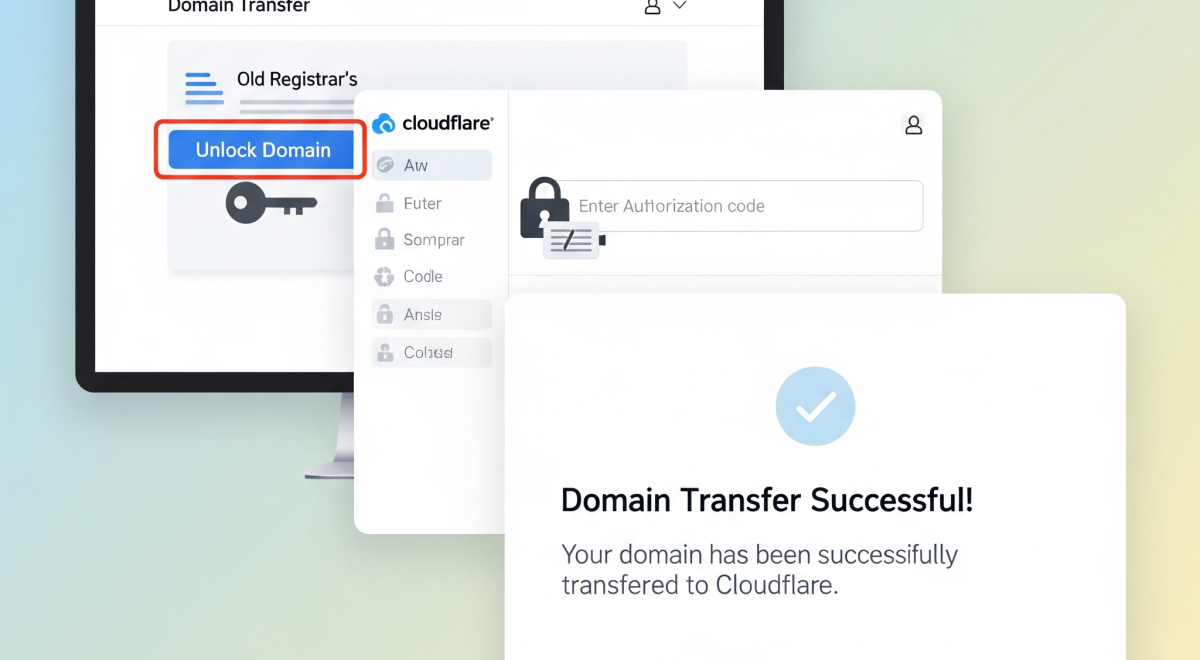
Transferring your domain may seem complicated, but learning how to transfer domain to Cloudflare makes the process simple and reliable. Cloudflare offers affordable pricing, free WHOIS privacy, and seamless DNS integration, making it one of the best choices for domain management. In this guide, we’ll walk you through everything you need to know to transfer domain to Cloudflare safely while keeping your website online.
Why transfer your domain to Cloudflare?
Many registrars charge high renewal fees or add hidden costs. By choosing to transfer domain to Cloudflare, you benefit from wholesale pricing, enhanced security, and simplified management. Cloudflare also provides DNS security, SSL integration, and an easy-to-use dashboard, making it effortless to transfer and manage multiple domains.
5 Steps to Transfer Domain to Cloudflare
- Check domain eligibility
Before you start, ensure your domain can be transferred. Domains that are less than 60 days old or have been recently transferred are locked, as per ICANN rules. Confirm eligibility to avoid errors.
- Unlock your domain at the current registrar
Log in to your existing registrar and unlock your domain. This step is required to authorize the transfer.
- Obtain the authorization code (EPP code)
Request the unique EPP code from your current registrar. This code is essential for initiating the transfer domain to Cloudflare process.
- Start the transfer inside Cloudflare
Sign in to your Cloudflare account, go to the registrar section, and enter your domain name. Provide the authorization code, review transfer details, and confirm the payment.
- Wait for transfer completion
Transfers usually take 5–7 days, depending on the old registrar. Cloudflare ensures DNS records remain active, so there is no downtime. Following these steps guarantees a smooth transfer domain to the Cloudflare process.
Key Benefits of Transferring to Cloudflare
- Affordable pricing: Pay only wholesale registry costs without markup.
- Enhanced security: Free WHOIS privacy, DNSSEC, and SSL integration.
- Easy management: Handle DNS, SSL, firewall, and registrar from one dashboard.
- No downtime: Websites remain live during transfer.
- Scalable: Manage multiple domains efficiently.
Common Issues and Solutions
- Wrong EPP code: Double-check the authorization code from your registrar.
- Domain still locked: Make sure the lock is disabled at the current registrar.
- ICANN lock period: New domains must wait 60 days before transferring.
- Email disruptions: Update MX records in Cloudflare DNS to maintain email functionality.
Why Cloudflare Over Other Registrars
Cloudflare is ideal for anyone who wants a secure, low-cost, and easy-to-manage domain registrar. Unlike traditional registrars, Cloudflare charges only at-cost fees and integrates seamlessly with DNS and security services. If you plan to move multiple domains or require reliable hosting, learning how to transfer a domain to Cloudflare is a smart choice. For more insights about hosting solutions and domain management, visit HostAnytime.
Conclusion
Transferring your domain to Cloudflare is simple, safe, and cost-effective. By following these steps, you can transfer domain to Cloudflare without downtime, enhance security, and manage your domains efficiently. Cloudflare makes it easy for website owners to centralize control while saving money on renewals.
FAQs
Q1: How long does it take to transfer a domain to Cloudflare?
It typically takes 5–7 days, depending on the processing time of the old registrar.
Q2: Will my website go offline during the transfer?
No, Cloudflare ensures DNS records remain active, so your website stays online.
Q3: Can I transfer a domain less than 60 days old?
No, ICANN rules require domains to be at least 60 days old or not recently transferred.
Q4: Does Cloudflare offer email hosting?
Cloudflare does not provide email hosting, but you can manage MX records for external providers like Google Workspace or Zoho Mail.
Q5: How much does it cost to transfer a domain to Cloudflare?
Cloudflare charges wholesale registry prices with no additional markup, making it highly affordable.

