
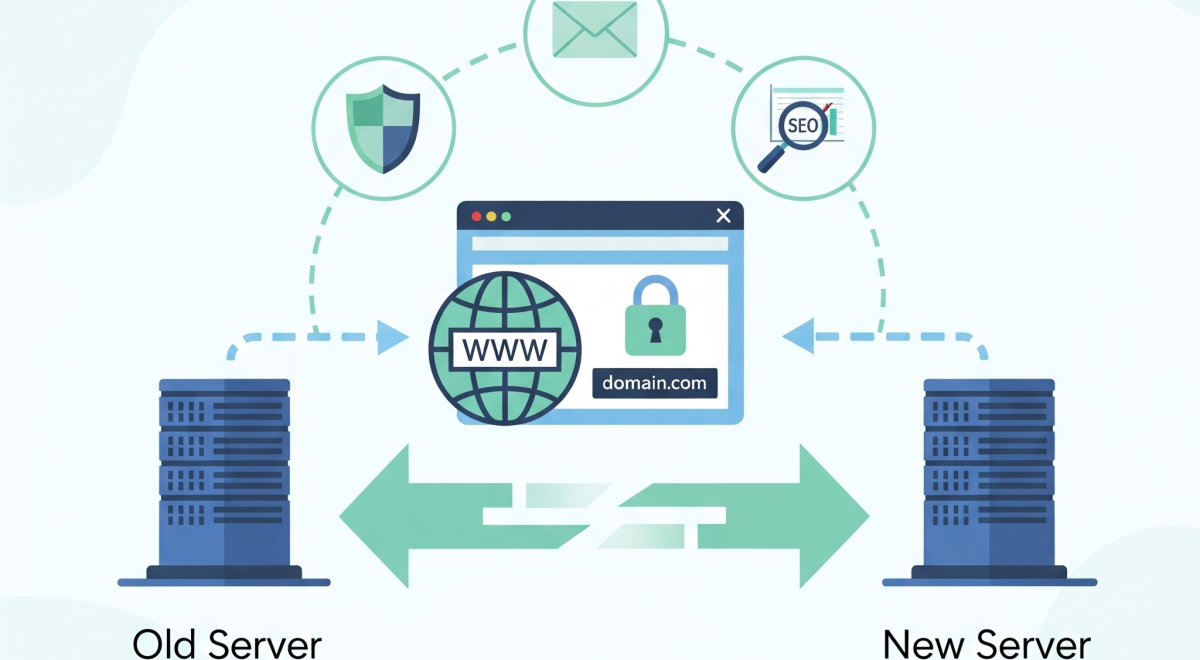
DNS transfer is a critical step whenever you move your website to a new hosting provider or registrar. However, many site owners overlook potential vulnerabilities during this process. A small mistake can result in downtime, email failure, or even a full-blown cyber attack. In this article, we will discuss DNS transfer security risks to avoid, offering practical tips to ensure a smooth and safe migration while protecting your website, emails, and SEO performance.
Understanding these risks before starting your transfer helps you plan carefully and avoid common mistakes that many website owners face.
1. Unauthorized Domain Access
One of the most common DNS transfer security risks to avoid is unauthorized access to your registrar account. Hackers can exploit weak passwords or phishing attacks to hijack your domain during the transfer. Once compromised, they can redirect your website traffic, access emails, or even sell your domain.
Solution: Always use strong, unique passwords and enable two-factor authentication (2FA). Keeping your registrar lock active until the transfer is complete adds an extra layer of protection. Double-check your account activity logs to spot any unusual login attempts.
2. DNS Hijacking
DNS hijacking occurs when attackers redirect your website traffic to malicious servers. This not only puts your visitors at risk but also damages your brand reputation. Cybercriminals may inject malware or display phishing pages to steal sensitive information.
Solution: Before switching DNS, verify all new records. Monitor propagation to ensure users are routed correctly. Use DNSSEC where possible, which adds cryptographic signatures to your records, preventing tampering.
3. Misconfigured DNS Records
Incorrect DNS settings can cause downtime, broken websites, and disrupted email services. Many website owners forget to update MX, CNAME, or A records properly, which leads to failed emails or inaccessible sites. This is another common DNS transfer security risk to avoid.
Solution: Back up your current DNS configuration, verify each record, and ensure TTL values are appropriate. Testing DNS changes in a staging environment can also prevent accidental disruptions.
4. Propagation Delays
DNS propagation takes anywhere from 24 to 48 hours. During this period, visitors may reach either the old or new server, leading to inconsistent website experiences. Downtime during propagation can affect SEO rankings if search engines crawl errors repeatedly.
Solution: Reduce TTL values a few days before the transfer and monitor propagation using online tools. Notify your team and customers about the scheduled migration to avoid confusion.
5. Security Protocol Neglect
Ignoring security protocols such as DNSSEC, SSL certificates, and registrar locks exposes your website to attacks during transfer. Without these measures, attackers can perform man-in-the-middle attacks, cache poisoning, or intercept emails.
Solution: Implement all recommended security protocols. Confirm SSL certificates remain valid after migration, and enable DNSSEC for added protection. These steps drastically reduce common risks during DNS transfer.
How to Safely Perform a DNS Transfer
- Backup all DNS records before transfer.
- Enable two-factor authentication on your registrar account.
- Verify MX, CNAME, and A records thoroughly.
- Lower TTL values for smoother propagation.
- Monitor propagation and test website functionality after transfer.
Following these steps mitigates most DNS transfer security risks to avoid and ensures a seamless migration.
Conclusion
Transferring DNS doesn’t have to be risky. By understanding and mitigating DNS transfer security risks to avoid, you maintain website uptime, protect email communication, and secure your online presence. Planning ahead, implementing proper security protocols, and monitoring the migration process are essential steps for a safe transfer. For additional best practices and domain transfer tips, check HostAnytime for expert guidance.
FAQs
Q1: How long does a DNS transfer usually take?
DNS propagation typically takes 24–48 hours, depending on TTL settings and registrar updates.
Q2: Will my emails be affected during DNS transfer?
Yes, if MX records are misconfigured. Double-check email settings before completing the transfer.
Q3: What is DNSSEC, and why is it important?
DNSSEC adds encryption to DNS lookups, preventing hijacking and cache poisoning during transfer.
Q4: Can DNS transfer affect SEO?
Indirectly, yes. Downtime or misconfigured records can affect crawling and indexing.
Q5: How do I monitor DNS propagation?
Use online tools like DNSChecker.org to track propagation across multiple regions.

