Nowadays, how fast a website load has become crucial for both users and search engine rankings. Users want details instantly, not later. A tiny wait could mean fewer clicks and less sales. That’s why a fast loading site is not just tech talk but a smart business move.
Let’s discuss why optimizing website load speed is so important and how we can solve slow loading websites.
Importance of Fast Loading Pages
Fast loading sites? They’re important! They keep users interested, help your site show up higher in search results, and boost the number of users who do what you want them to do on your site. Think about it, a fast loading site keeps users stay longer. They’re more likely to explore and less likely to leave or bounce. But get this, Google and other search engines favor fast loading sites too! So, solve slow loading websites with SEO help. It’s not just about user experience anymore. And guess what else? A fast site means more conversions! People won’t ditch your site if it’s loading slowly; they’ll stick around and may even do what you hope, like signing up or buying a product.
Understanding Slow Loading Websites Issue
Let’s take a step back before solving the issue. What makes websites to load slowly? Several reasons do, such as large image files, too many HTTP requests, missing compression, lousy web hosting, and unoptimized code. Spot these issues, and you’re well on your way to speed up your website.
Common Causes of Slow Loading Websites
Large pictures can often slow down a website’s speed. If super clear images aren’t optimized just right, they can make a site load longer. Similarly, loading many files can also slow down a site’s speed. Sometimes, not squishing data, having a weak web hosting, or messy code can slow things too. Realizing these things can help us nail down why a site is loading slowly. The first step to understanding these causes is to solve slow loading websites.
How to Diagnose Slow Loading Issues?
Finding out why websites take a long time to load is crucial for good optimization. There are many tools and methods that can check how long a page takes to load and study how it performs. These insights will guide you to solve slow loading websites with the right solutions to enhance your website’s loading speed.
Tools for Measuring Page Speed
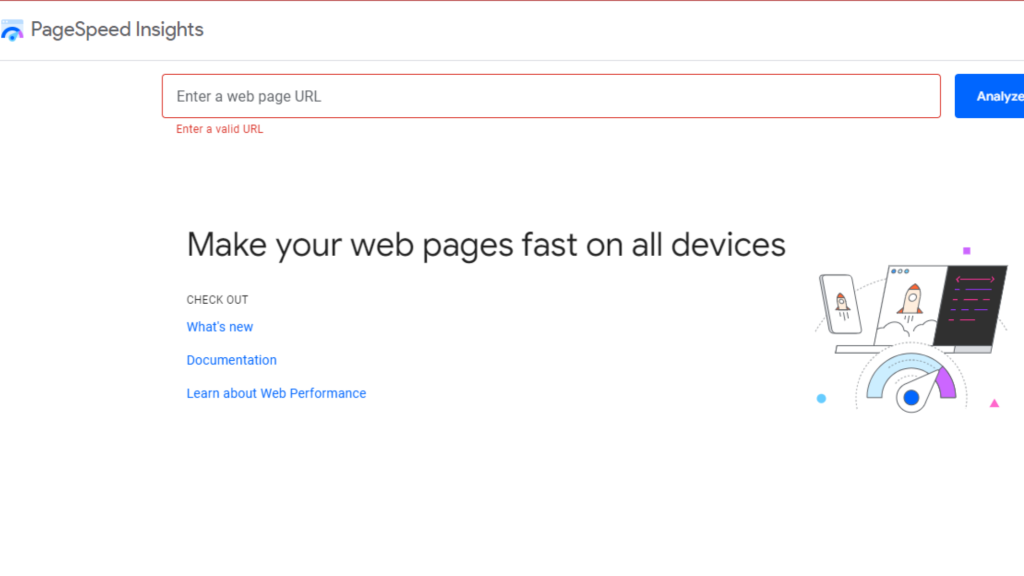
Many tools can check your website speed. Google PageSpeed Insights, GTmetrix, and Pingdom are beloved tools. They offer in-depth reviews of your site’s performance. These tools check various things on your site. Things like loading time, size, and request count. And they give you practical tips to solve slow loading websites.
Analyzing Performance Metrics
So, you’ve checked your page speed, next up, dissect those performance numbers. Crucial stats to check are the time to first byte (TTFB), how many HTTP requests there are, and the total time it takes for a site to load. Get the hang of these stats and you’ll see exactly what needs to be improved. It helps you focus your energy to solve slow-loading websites where it matters most.
Strategies to Solve Slow Loading Websites
We’ve identified the common causes of slow loading sites and learned how to spot these problems. Let’s dive into some tactics to fix them. Using these methods can greatly solve slow loading websites, leading to a quicker, more satisfying visit for your users.
Optimize Images for Faster Loading
Pictures are usually a big part of a website’s total size. Making these images smaller without losing their look can solve slow-loading websites load much faster. You can use tools like TinyPNG and JPEGoptim to make your images smaller. Also, new image types like WebP can make pages load even quicker.
Minimize HTTP Requests
Every element on websites, like pictures, codes, or design files, needs an HTTP request. If we reduce these requests, solve slow-loading websites faster. How can we do this? Combine CSS and JavaScript files. Use CSS sprites for images. Get rid of elements we don’t need. These steps can help minimize HTTP requests.
Enable Compression
Enabling compression on your web server shrinks the file size sent to users’ browsers, creating quicker load times. Gzip, a well-known compression method, is easy to activate via server settings or plugins. These compact files zip over the internet at increased speed, enhancing the general speed of your site.
Leverage Browser Caching
With browser caching, regular items users use can be saved right on their device. No more downloading over and over! By using the right caching headers, static stuff like pictures, scripts, and styles become stored in the browser. This means a quicker website for users who come back to visit.
Minify CSS, JavaScript, and HTML
Minification is about removing unneeded parts from code. This includes spaces, talk-backs, and line breaks, making the file smaller. When we minify CSS, JavaScript, and HTML files, loading speeds can get way better. With tools like UglifyJS for JavaScript and CSSNano for CSS, minifying becomes automatic.
Optimize Web Hosting Services
It’s important to know that your website’s performance heavily depends on the web hosting service you choose. It’s a good idea to invest in the best hosting provider. They usually have quick servers and plenty of resources, which can make your pages load faster. If you’re looking for the best performance, you might want to think about getting a dedicated or managed hosting service. They often perform better than shared hosting services.
Implementing a Content Delivery Network (CDN)
A CDN shares your website’s content across multiple servers around the globe, it lets people get into the site from a nearer server location-wise. This lowers delay and bumps up the speed of loading, especially for worldwide users. Big name CDNs like Cloudflare and Amazon CloudFront offer simple adding and sizeable benefits in how well they work.
Prioritize Above-the-Fold Content
What you first see on a website, without having to scroll down, is known as above-the-fold content. Making this info load first makes a site feel quicker. It seems faster even if other bits behind the scenes are still loading up. Tricks such as lazy loading come in handy for this.
Optimize CSS Delivery
Websites can load slowly if CSS files are blocked. So, make sure the important CSS gets loaded right away, while non-critical CSS can wait. By placing key CSS into the HTML document, loading times can solve slow loading websites. This leads to happier users!
Reduce Server Response Time
Think of server response time, also known as time to first byte (TTFB), as a server’s speed in replying to a request. Lessening this server response time means optimizing server performance, honing database inquiries, and refining application logic. Faster servers and effective coding practices lead to a decrease in TTFB, amping up the speed of the sites we browse.
Avoid Render-Blocking JavaScript
JavaScript files that block rendering can stop a website from showing up until every script is fully loaded. By holding back or deferring the loading of JavaScript not crucial to the page, loading time can solve slow loading websites. Also, consider using asynchronous loading for scripts not needed for the first page rendering. This could mean the page shows up quicker, making it a better experience for users.
Advanced Techniques to Improve Page Speed
If your website needs a boost, there are a few tricks to help. First, you can speed up JavaScript with asynchronous loading. Second, apply lazy loading to pictures and videos. Finally, reducing redirects. These steps will perk up your site’s performance.
Using Asynchronous Loading for JavaScript
JavaScript files can load without stopping a page from showing when asynchronous loading is used. With the “async” attribute in script tags, the browser won’t stop making your page visible. This means that while scripts load, solve slow loading websites too.
Lazy Loading of Images and Videos
Lazy loading defers the loading of pictures and videos until users require them, like when they scroll down. This method cuts back the first load time and only loads what users need, saving bandwidth. Putting lazy loading into practice can notably speed up a webpage, especially those jam-packed with media.
Reducing Redirects
Each redirect adds additional HTTP requests and delays page loading. Minimizing the number of redirects on your website can reduce load times. Ensure that URLs are properly configured and avoid unnecessary redirects to streamline the loading process.
Best Practices for Ongoing Maintenance
Keeping your website speedy needs ongoing check-ups, the latest updates to additions and themes, and staying aware of new ways to boost its performance. Regular upkeep ensures your site stays strong and efficient over time.
Regular Performance Audits
Keeping audits on your website’s performance regularly can identify any new issues and keep your site in top shape. Try out Google Lighthouse and GTmetrix for these audits and follow their advice to stay at best performance.
Keeping Plugins and Themes Updated
Old plugins and themes might lead to safety risks and slowdowns. By simply updating them on a consistent basis, your website will benefit from the newest enhancements and bug fixes. This helps solve slow loading websites and overall function.
Case Studies and Real-World Examples
Examining case studies and actual instances of excellent page speed optimization can provide valuable insights and inspiration. Learn lessons from what other websites have done and use what works for your own site.
Successful Implementation Stories
Many sites have won the race against slow loading times by using speed optimization tricks. Checking out these victories presents us with real-life cases of the power of optimization on speed, performance, and how it hooks in users.
Lessons Learned from Page Speed Improvements
The ups and downs of improving webpage speed can teach us a lot. We can dodge typical mistakes and use stronger ways to boost things. Use others’ journeys to better your own site’s speed.
Final Thought and Final Tips
Solving slow-loading websites is key to a smooth user experience and to staying ahead in search rankings. Understanding why loading can be slow, solving problems, and using specific tips to speed things up will greatly help your website’s speed. Keep up with regular check-ups and stay updated with new speed-enhancing methods. This ensures that your site keeps running swiftly. Always remember, that a speedy site doesn’t just make users happy, but also pumps up interaction, boosts sales, and revs up SEO rankings.