
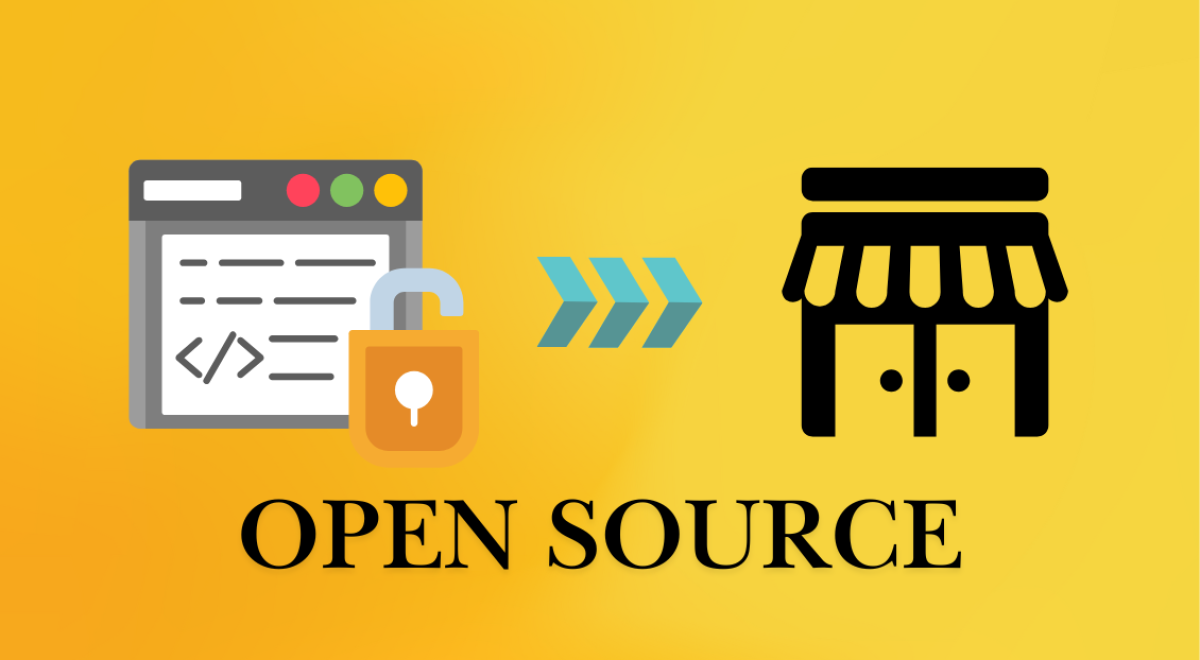
Open Source software is freely available software that anyone can use, modify, and distribute. Unlike proprietary software, it offers small businesses the flexibility to tailor tools to their needs without the burden of costly licenses. The benefits of open-source software include cost savings, customization options, and strong community support, making it an excellent choice for small businesses looking to enhance their operations.
The world has changed since the end of the 1990s when the open source movement gained popularity as a paradigm for software development. For instance, estimates indicate that an astounding 96% of all web servers worldwide are based on an open source Linux operating system.
In this article, we’ll explore the best Open Source software for small businesses in 2025, discussing how these tools can save costs, improve efficiency, and help your business grow. We’ll cover essential features to look for and highlight top recommendations in key areas like accounting, CRM, and collaboration.
Why Open Source Software is Ideal for Small Businesses
For small businesses, Open Source software provides the flexibility, scalability, and security that proprietary options might not offer at a comparable price. Small businesses often face budget constraints, and Open Source software provides cost-effective solutions without compromising on quality. In 2025, more small businesses are adopting Open Source software to remain competitive while keeping costs down.
Features of Open Source Software
Scalability and Customization
As small businesses grow, their software needs evolve. Open Source solutions allow businesses to scale and customize according to their specific needs. Whether you need additional features or integrations with other tools, Open Source software provides the flexibility to adapt and grow.
Example: Odoo is a highly customizable Open Source ERP system that can be tailored to different industries, whether you are running an online store, managing a supply chain, or handling customer relationships.
Security and Support
Security is a major concern for any business. Open Source software is built with transparency in mind, which means any vulnerabilities are quickly spotted and patched by a dedicated community. Additionally, many Open Source tools offer community-driven support, including forums, tutorials, and active discussion boards where users can find solutions.
Example: Nextcloud provides secure file storage and collaboration tools, ensuring your business data remains protected while collaborating with your team.
User-Friendliness and Integration
For small businesses without a dedicated IT team, choosing software that is user-friendly and integrates seamlessly with other tools is essential. Open Source software often has intuitive interfaces and offers extensive integration options with popular platforms such as Google Workspace, Microsoft Office, and various CRMs.
Example: Wave accounting software offers an easy-to-use interface, making it accessible even for business owners with minimal accounting experience.
Top 5 Best Open Source Software for Small Businesses
1. Odoo – Best for All-in-One Business Management
- Overview: Odoo offers a complete suite of business applications, including ERP, CRM, accounting, inventory management, and project management, all integrated into one platform.
- Pros: Highly modular, allowing businesses to choose and implement only the modules they need.
- Cons: It can be complex for very small businesses or startups.
- Recommended for: Businesses requiring an all-in-one, customizable business management system.
- Expert Tip: Odoo’s community edition is free and can be an excellent choice for startups looking to manage multiple functions without investing heavily in software.
2. Wave – Best for Accounting and Invoicing
- Overview: Wave is a free, Open Source accounting software that helps small businesses with invoicing, expense tracking, and financial reporting.
- Pros: Simple to use, with powerful invoicing and financial tracking features.
- Cons: Lacks some advanced features for larger businesses.
- Recommended for: Freelancers and small businesses focused on accounting.
- Expert Tip: Wave’s user interface is designed to make accounting as simple as possible, even for those without an accounting background.
3. SuiteCRM – Best for Customer Relationship Management (CRM)
- Overview: SuiteCRM is an Open Source CRM that enables small businesses to manage leads, sales pipelines, and customer relationships.
- Pros: Fully customizable with strong community support.
- Cons: Requires ongoing maintenance and setup.
- Recommended for: Businesses needing robust CRM capabilities with strong automation features.
- Expert Tip: SuiteCRM integrates easily with email marketing systems, helping you streamline communications with customers.
4. Dolibarr – Best for Small Business ERP and Project Management
- Overview: Dolibarr is an ERP and project management software designed to be simple and user-friendly. It includes modules for HR, accounting, invoicing, and project management.
- Pros: Lightweight, making it ideal for small teams.
- Cons: Fewer advanced features compared to larger ERP systems.
- Recommended for: Small businesses needing a comprehensive, easy-to-use business management solution.
- Expert Tip: Dolibarr is an excellent tool for small businesses looking to consolidate various business functions into a single platform.
5. Nextcloud – Best for File Storage and Collaboration
- Overview: Nextcloud is an Open Source platform that offers secure file sharing, collaboration, and communication tools.
- Pros: Provides secure cloud storage, calendar, email, and collaboration tools.
- Cons: Setup can be complex for non-technical users.
- Recommended for: Small businesses needing secure cloud storage and collaboration tools.
- Expert Tip: Integrate Nextcloud with other Open Source tools for a tailored solution that meets all your business needs.
Benefits of Using Open Source Software for Your Small Business
Cost-Effective Solutions
Open Source software is free maximum time or significantly cheaper than proprietary software. For small businesses, this means savings on licensing fees and the ability to allocate resources elsewhere.
Enhanced Security and Control
With Open Source software, businesses have the power to control security features, conduct audits, and make necessary updates. This control reduces the risk of vulnerabilities and provides greater peace of mind.
Access to a Supportive Community
Open Source software comes with an active community of developers, users, and contributors. This ensures you can find solutions to your problems, get advice, and stay up-to-date with the latest features and security patches.
How to Choose the Best Open Source Software for Your Business
Evaluate Business Needs
First, identify the areas where automation and software can make a significant difference. Do you need CRM functionality? Project management? Accounting? Understanding your business’s specific needs will help you select the right software.
Consider User-Friendliness and Support
Make sure the software is easy to implement and that your team can use it efficiently. Also, check for available support options, like documentation, user guides, and community forums.
Test and Implement
Start with a free version or trial, evaluate whether the software fits your needs, and then scale as necessary. Open Source tools often come with comprehensive documentation, so setting them up is more straightforward than expected.
Common Challenges and How to Overcome Them
Initial Setup Complexity
Some Open Source software requires technical expertise to install and configure. If you’re not comfortable with installation, consider seeking professional help or using managed services like Hostanytime, which offers Open Source software hosting solutions.
Ongoing Maintenance
To ensure your software runs smoothly, stay engaged with the community, participate in forums, and keep your software up-to-date with regular patches and upgrades.
Training Your Team
To make the most of Open Source software, offer training sessions and create easy-to-follow documentation for your team. This will help them leverage the full potential of the tools.
FAQ
What is Open Source software?
Open Source software is software that is made available to the public for free. Users can modify, distribute, and even contribute to the software. It’s typically community-driven and provides greater transparency.
How does Open Source software help small businesses?
Open Source software helps small businesses by offering a cost-effective alternative to expensive proprietary software. It also allows for customization and flexibility, making it easier to adapt the software to specific business needs.
Is Open Source software secure?
Yes, Open Source software is generally secure. The transparency of the code allows developers to identify and fix vulnerabilities quickly. Additionally, Open Source software often benefits from strong community support, ensuring regular updates and improvements.
By following this comprehensive guide, small businesses can successfully navigate the world of Open Source software and select the tools that best suit their needs, helping them boost efficiency and cut costs in 2025. If you’re looking for a reliable platform to host your Open Source software, Hostanytime provides top-tier hosting solutions to ensure your tools run smoothly.
Overall
In conclusion, Open Source software is a game-changer for small businesses in 2025, offering cost-effective, customizable, and scalable solutions. Tools like Odoo, Wave, SuiteCRM, Dolibarr, and Nextcloud provide small businesses with the necessary functionality to grow while cutting costs. Open Source software empowers businesses to operate more efficiently, stay secure, and remain adaptable in a rapidly changing world.

