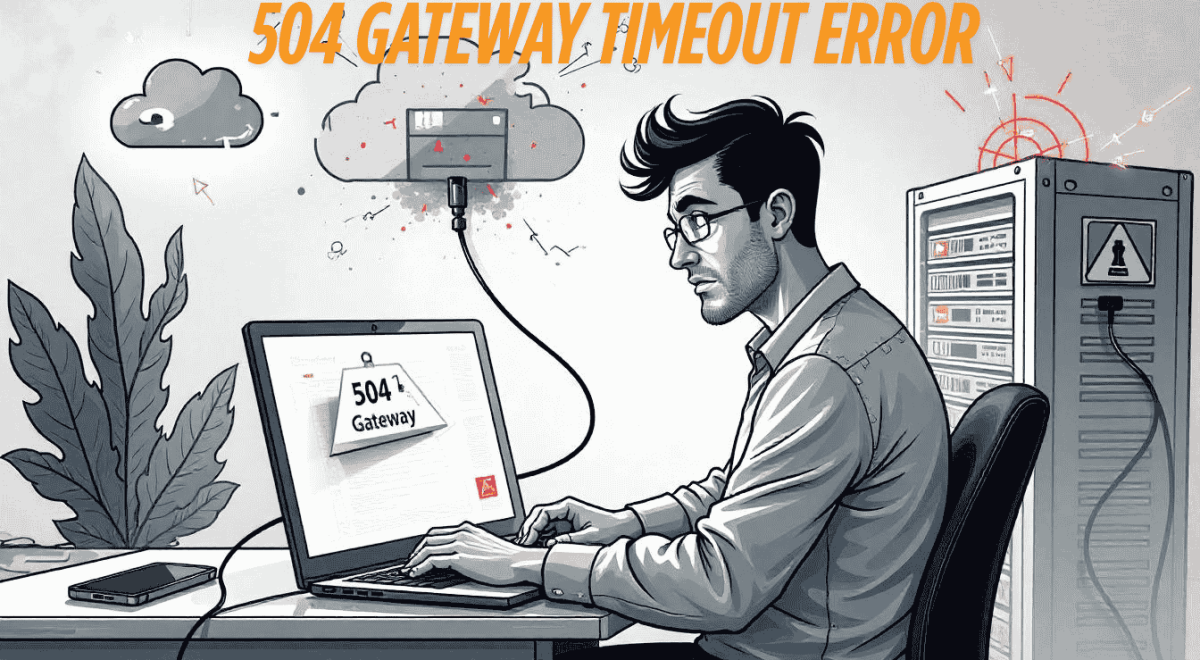
There’s nothing more frustrating than clicking on your website, only to be greeted with the dreaded 504 Gateway Timeout error. Whether you’re running an e-commerce store, blog, or business site, one thing is certain: downtime kills trust, traffic, and revenue.
If you’re constantly fighting gateway errors, it’s time for a better solution. HostAnyTime offers lightning-fast, reliable hosting that keeps your site online, even when others fail. Say goodbye to server timeouts and slow responses, and hello to fast, stable performance with low-priced domain and hosting packages.
Let’s dive deep into what causes the 504 error, how to fix it, and why HostAnyTime is the perfect hosting partner for your peace of mind.
What Is a 504 Gateway Timeout Error?
A 504 Gateway Timeout is an HTTP error that happens when one server fails to get a timely response from another server (often called the upstream server) while trying to load a webpage. Think of it like a receptionist trying to pass a message to the manager, but the manager never replies.
In technical terms, your web server is acting as a gateway or proxy but doesn’t receive a timely response from the next server in line. That causes a server timeout and triggers the 504 error.
This issue can stem from server communication issues, poor infrastructure, or even just a slow response during traffic spikes.
Why Do 504 Gateway Timeout Errors Happen?
Let’s dive deeper into why you might be encountering the frustrating “504 Gateway Timeout” error. It’s definitely not a random occurrence; rather, it’s a signal that something behind the scenes is taking too long to respond. Think of it like trying to call a restaurant, but the phone just keeps ringing and ringing without anyone picking up – eventually, you hang up in frustration. Your website visitors experience something similar with a 504 error.
Decoding the Dreaded 504 Gateway Timeout Error: Understanding the Root Causes
A 504 Gateway Timeout error signifies that one server in the chain of communication didn’t receive a timely response from another server it was trying to access. This could be the web server trying to talk to an upstream server, like a database or another third-party service. Understanding the underlying root causes is crucial for effective troubleshooting and ensuring a smooth user experience on your website.
Here are some of the most frequent reasons why these server errors pop up:
1. Overwhelmed Web Servers: The Strain of High Traffic
- More Details: If you’re on a shared hosting environment, your website shares resources (like processing power and memory) with many other websites. During periods of high traffic, your server might become overloaded, struggling to process all the incoming requests within the expected timeframe. This can lead to server overload and ultimately a gateway timeout. Think of it as too many people trying to get through a single doorway at the same time; everything slows down, and some might get stuck.
- SEO & User-Friendly Aspect: Users experiencing slow loading times due to high website traffic are likely to leave, negatively impacting your website’s bounce rate and potentially your search engine rankings. Investing in a hosting solution that can handle your traffic volume is essential for a positive user experience.
2. Sluggish Database Queries: When Information Retrieval Takes Too Long
- More Details: Your website relies heavily on its database to store and retrieve information – everything from product details to user comments. Poorly optimized database queries, inefficient database design, or a database server under heavy load can significantly slow down the time it takes for your web server to get the necessary data. This delay can exceed the timeout settings, resulting in a 504 error. Imagine a librarian trying to find a specific book in a disorganized library – it takes much longer than it should.
- SEO & User-Friendly Aspect: Slow loading times caused by slow database queries frustrate users and can be a signal to search engines that your website’s performance is lacking. Optimizing your database performance is crucial for both SEO and user satisfaction.
3. Faulty Firewall or Proxy Setup: Communication Breakdown
- More Details: Firewalls and proxy servers act as intermediaries, filtering traffic and enhancing security. However, misconfigurations in these systems can inadvertently block or delay communication between your web server and upstream servers. Incorrect rules or overly aggressive settings can lead to interrupted server communication and trigger a gateway timeout error. It’s like having a security guard who mistakenly prevents authorized personnel from entering.
- SEO & User-Friendly Aspect: While security is paramount, a poorly configured firewall or proxy can harm your website’s accessibility and user experience. Ensuring proper configuration is vital for seamless operation and avoiding website errors.
4. Hosting Misconfiguration: Incorrect Timeout Settings
- More Details: Web servers and other network components have timeout settings that define how long they will wait for a response from another server. If these timeout settings are set too low, even a slightly delayed response can trigger a 504 error, even if the upstream server is eventually going to respond. It’s like a very impatient person hanging up the phone after just a few rings. Your hosting provider plays a crucial role in managing these settings appropriately.
- SEO & User-Friendly Aspect: Frequent 504 errors due to hosting misconfiguration can severely damage your website’s reputation and deter visitors. Choosing a reliable hosting provider with proper server management is essential for website stability.
5. DNS Resolution Problems: Getting Lost in Translation
- More Details: The Domain Name System (DNS) translates human-readable domain names into IP addresses that computers understand. If there are DNS resolution problems, such as incorrect domain configurations or expired DNS records, your server might not be able to find the correct IP address of the upstream server it needs to communicate with. This inability to establish a connection can lead to a gateway timeout. It’s like having an outdated address book, preventing you from finding the right destination.
- SEO & User-Friendly Aspect: DNS issues can make your website inaccessible, leading to a significant drop in traffic and potentially harming your SEO rankings. Ensuring your domain configuration and DNS records are accurate and up-to-date is critical.
6. Third-Party API Failure: Reliance on External Services
- More Details: Many modern websites rely on third-party APIs for various functionalities, such as payment processing, social media integration, or mapping services. If these external services are experiencing downtime or are slow to respond, your website might wait too long for their response, resulting in a 504 Gateway Timeout error. It’s like waiting for a delivery service that’s experiencing delays – your entire process is held up.
- SEO & User-Friendly Aspect: While you might not have direct control over third-party API performance, choosing reliable and well-maintained services is crucial for a consistent user experience. Monitoring the status of these services can also help you identify potential issues quickly.
In essence, a 504 error often points to bottlenecks or failures in the communication chain between different servers. As mentioned, these are classic examples of load balancer timeouts, web server failures, and upstream server errors.
If your current hosting provider struggles to handle these situations efficiently, your visitors will unfortunately continue to encounter this disruptive error. Investing in robust hosting infrastructure and optimizing your website’s performance are key steps in preventing these frustrating website issues.